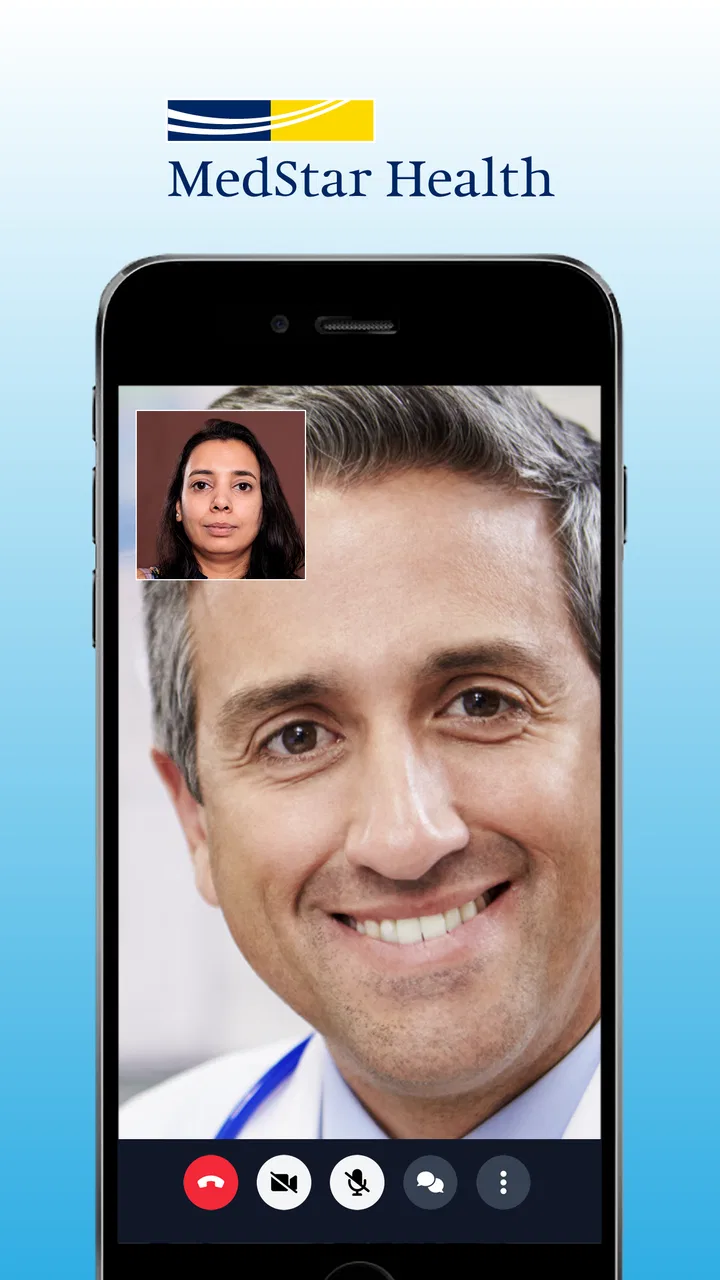
MedStar eVisit – Telehealth
- 3.9
- Rating
- 100.00K
- Installs
- Free
- Price

 Analysis by App-foxy
I look at a medical app differently from an entertainment app. With a virtual-care service, convenience matters, but so do the moments when I hand over personal details, describe symptoms, and decide whether an online consultation is appropriate. MedStar eVisit – Telehealth is built around that specific need: connecting a patient with a provider online for urgent-care concerns. It is a free medical app from MedStar Health, and its focus is refreshingly narrow rather than trying to become an all-purpose wellness dashboard.
My overall impression is that it makes the first step toward care easier when leaving home is inconvenient. The trade-off is equally important: an online visit is not a replacement for emergency services, a physical examination, or every kind of appointment. I would use it as a practical front door for suitable problems, while keeping my expectations realistic about what a screen-based consultation can and cannot do.
What using MedStar eVisit feels like in practice
I find the app works best when I treat it as a prepared route to a conversation, not something I have to figure out while I’m worried. Before opening a visit, I gather the symptom timeline and current medicines, then make sure I can speak privately. That simple routine keeps the focus on the medical question and makes it easier to judge whether virtual care is still the right fit.
You May Also Like

 Blood Strike: 2.5 Anniversary
Blood Strike’s Loadouts Turn Every Drop Into a Tactical Gamble
A close look at Blood Strike’s custom loadouts: how fast access to signature weapons reshapes its battle royale rhythm, rewards preparation, and narrows the gap between fights.

 Pandora - Music & Podcasts
Pandora’s Music Is Easy to Start, but Harder to Recover
Pandora’s strength is its low-effort path from a seed to a station. Its weak spot is how much confidence it asks you to place in connection, setup, and quiet recovery.

 8 Ball Pool
 Is Built on Rivalries, Rematches, and Routine
A close look at the rivalries, rematches, shared routines, and unanswered safety questions that turn a quick pool match into a persistent mobile community.

 Samsung Music
’s Quiet Strength Is Playing What You Already Own
Its reach comes less from spectacle than from dependable access to a personal library. That simplicity is both the app’s strongest retention engine and its ceiling.

 AccuWeather: Weather Radar
AccuWeather Review: A Quick, Clear Forecast for Everyday Decisions
For everyday plans, the best forecast is the one you can understand quickly. AccuWeather makes rain timing, radar, and local conditions easy to act on, with a few trade-offs.

 Hill Climb Racing
Why Hill Climb Racing Still Turns Crashes Into One More Run
A tiny car, a bumpy hill and one more upgrade: Hill Climb Racing keeps resurfacing because its simple chaos makes every near-miss feel personal.
More From Our News Desk



A focused route to an online medical visit
The basic journey is straightforward in concept. I download the app, create an account, and move toward seeing a provider online. That simplicity is the main appeal. Instead of searching through general health articles or trying to decide which department to call, I can begin with a care request designed for virtual urgent care.
That makes the app especially useful when the problem feels important enough to discuss with a clinician but not obviously serious enough to justify an emergency department. A minor illness that appears after normal office hours, a question about a familiar symptom, or a situation where travel is difficult can all make virtual care attractive. The app’s around-the-clock positioning is helpful here because symptoms do not follow office schedules.
I would still pause before opening a visit and ask myself whether the issue needs hands-on assessment. Severe breathing trouble, signs of a stroke, major injury, chest pain, loss of consciousness, or any rapidly worsening condition belongs with emergency services rather than an app. That is not a weakness unique to this service; it is the central boundary of telehealth. A polished online experience cannot replace vital signs, imaging, laboratory work, or a physical examination when those are necessary.
Who is likely to get the most value
I see the strongest fit for adults managing a relatively contained concern, people who have difficulty taking time away from work, caregivers trying to start a conversation about a family member’s symptoms, and patients who already prefer digital communication. It can also be useful for someone who wants to explain a problem from a familiar setting instead of sitting in a crowded waiting room.
There is a less obvious advantage for preparation. Before starting, I can gather a medication list, note when symptoms began, and keep relevant information nearby. That small amount of organization can make an online consultation more productive. I recommend writing down the main concern in one sentence, followed by what has changed and what I want to know. A virtual visit can feel rushed if I begin by remembering details one at a time.
The app is less suitable for someone who strongly prefers face-to-face care, has unreliable access to a suitable device or connection, needs a procedure, or expects a specialist examination. It is also not the right first choice when uncertainty itself feels dangerous. In those situations, calling a local medical service or seeking in-person care is more sensible than trying to make the app fit.
Trust starts before the consultation
MedStar Health is the developer, which gives the app a clear healthcare identity rather than the feel of a generic symptom checker. That matters to me because a telehealth tool is handling a different level of personal information from a weather or shopping app. I want to know what I am opening, why I am creating an account, and what choices I have before I begin describing a health problem.
The app is rated for Everyone, costs nothing to download, and has been available since late July 2015. Its current version is 16.1.0, with Android support beginning at version 5.0. Those details make it approachable for people using older compatible devices, although an older operating system can still affect the broader security and performance of the phone. I would keep the device updated where possible and avoid using a shared phone for a medical account unless I am comfortable with the privacy implications.
Its audience size also suggests that this is an established service rather than a newly launched experiment. It has passed the hundred-thousand-install mark, with an average rating of 4.0 from roughly nine hundred ratings and several hundred written reviews. I treat those figures as useful context, not a guarantee. A rating can indicate that many people find the app workable, but it cannot tell me whether a particular consultation will suit my symptoms or whether the service will meet my local care needs.
Account control is part of the experience
Because the app requires sign-up before a provider visit, the account is not a minor detail. I would use an email address and password that I can manage reliably, avoid sharing login details, and review every screen before submitting information. If the app offers optional notifications or device access during setup, I would grant only what is needed for the visit and revisit those choices later through the phone’s settings.
This is one of the moments where user agency matters more than speed. A rushed tap through registration can lead to missed instructions or unwanted alerts. I prefer to slow down when the app asks for contact details, consent, or symptom information. The few extra seconds are worthwhile when the information is medical rather than casual.
I also recommend checking who is holding the phone before beginning a consultation. Lock-screen previews can expose appointment reminders or messages, and a shared device may keep an account active. Signing out when appropriate and using the phone’s own screen lock are simple habits that support privacy without making the service difficult to use.
Handling sensitive information thoughtfully
The most sensitive part of the experience is not the download; it is the conversation itself. Symptoms, medications, past conditions, and personal circumstances can all become part of a care interaction. I would avoid conducting a visit in a public place, use a private room where possible, and make sure headphones or speaker volume do not reveal details to people nearby.
Before submitting a description, I would remove irrelevant personal information. A provider needs a useful clinical history, not every detail of my life. At the same time, I would not hide information that could change the advice, such as allergies, current medicines, pregnancy, a recent procedure, or a symptom that is getting worse. The best balance is concise but complete: explain what matters to the medical decision and leave out unrelated material.
Another practical tip is to keep a record of the instructions I receive after the visit. I might write down the recommended next step, warning signs, and any follow-up action while the conversation is fresh. This is particularly important with virtual care because I may not leave with printed paperwork or a physical reminder. If the advice does not match the way symptoms develop, I would treat that change as a reason to seek further care rather than assuming the original online assessment still applies.
What the app can and cannot replace
Compared with a symptom-search website, this service has the potential advantage of putting me in contact with a provider instead of leaving me to interpret search results. That can reduce the temptation to diagnose myself from alarming pages. Compared with a traditional urgent-care clinic, it removes travel and waiting-room time, but it also removes the ability to examine me directly.
Compared with a general video-calling app, it is purpose-built for a medical interaction rather than a social conversation. That focus is valuable, but it does not mean every medical problem belongs in the virtual channel. A general practitioner’s office may be better for ongoing care, medication management, preventive visits, or a condition that needs continuity with someone who knows my history. An emergency department is better for urgent danger. MedStar eVisit sits between those options, and its usefulness depends on choosing that middle ground correctly.
I would also avoid treating the app as a diagnostic authority simply because a provider is available online. A provider can ask focused questions and offer guidance, but the limitations of the medium remain. If the clinician recommends in-person evaluation, that is not a failure of the app; it is often the correct outcome of a responsible virtual assessment.
Everyday scenarios where it makes sense
Imagine I develop a bothersome but stable illness late in the evening and want professional guidance before deciding whether to wait until morning. I can prepare my medication list, describe the timeline, and use the app to request an online visit. The value is not only speed. It is having a structured conversation that may help me understand whether home care, a routine appointment, or faster in-person attention is appropriate.
Another scenario involves a caregiver. If a child or older relative has a non-emergency concern, the caregiver may already have the relevant history and be able to explain what has changed. A private, well-lit space and clear notes can make that discussion easier. I would still confirm who the patient is, follow the provider’s instructions, and avoid assuming that a remote visit is suitable just because it is convenient.
There is also a useful “decision support” role. Sometimes I do not need a prescription or a definitive diagnosis from an app; I need help deciding what level of care to pursue. A provider conversation can be more useful than repeatedly searching symptoms, provided I understand that worsening or severe symptoms require escalation.
Small friction points worth planning for
The sign-up requirement adds a step before care, even though it is understandable for a medical service. I would not wait until a stressful moment to discover that I need an account. Installing the app ahead of time, checking that I can sign in, and becoming familiar with the opening screens can reduce pressure later. I would not create an account solely because I expect an emergency; I would do it as part of a sensible preparation routine for suitable urgent-care needs.
Virtual visits can also be affected by ordinary technology problems. A weak connection, a low battery, a noisy room, or a camera that is positioned poorly can distract from the consultation. I would charge the phone, use a stable connection, and place the camera at eye level. Good lighting is not just cosmetic: it may help the provider see visible symptoms when that is relevant.
Another trade-off is that convenience can encourage overuse. If I open the app for every minor worry, I may spend time seeking reassurance that could come from routine care or a trusted medical resource. If I avoid it because I expect an online visit to solve everything, I may delay needed in-person attention. The service works best when I use it deliberately, not automatically.
Questions I would settle before relying on it
A reader may reasonably ask whether the app is free. The download and app itself are free, which removes an initial barrier, but I would still pay attention to any care-related terms, coverage questions, or account instructions shown during the process. “Free to download” should never be confused with a promise that every possible medical service has no cost.
Another practical question is whether an older phone can run it. Android support starts at version 5.0, so compatible older devices may be able to install it. In real use, I would also consider camera quality, microphone performance, available storage, and the reliability of the operating system. Compatibility is only the baseline; a stable, updated device is preferable for a private medical conversation.
People also wonder whether they should use it instead of calling a clinic. I would choose the app when the concern appears appropriate for virtual urgent care and I value remote access. I would call a regular provider when the issue involves ongoing treatment or a need for continuity, and I would seek emergency help when symptoms are severe, sudden, or potentially life-threatening.
Finally, I would ask what control I have over my information. My practical approach is to read consent and account screens, limit optional device permissions, protect the phone, keep the conversation private, and avoid entering unnecessary details. Those actions do not replace reading the service’s own privacy and account terms, but they give me meaningful control over how I use the app.
My cautious recommendation
MedStar eVisit – Telehealth is a sensible option for people who want a direct route to virtual urgent care and understand the limits of remote medicine. I like its focused purpose, the convenience of speaking with a provider online, and the fact that it comes from MedStar Health rather than presenting itself as a vague health-information tool. Its free availability and Everyone age rating also make trying the service relatively approachable.
My recommendation comes with a clear condition: use it as one part of a care plan, not as a universal substitute for a clinic or emergency service. Prepare before the visit, protect the account, share relevant information carefully, and keep control of notifications and device access. If the situation needs examination, testing, or immediate intervention, choose in-person care instead.
For the right situation, the app can remove an unnecessary trip and help turn uncertainty into a conversation with a provider. For the wrong situation, its convenience could create false reassurance. That balance is the most important thing to understand before installing it, and it is why I would recommend it selectively rather than automatically.
FAQs for MedStar eVisit – Telehealth
01What is MedStar eVisit – Telehealth?
MedStar eVisit is a telehealth application designed to provide users with virtual access to healthcare professionals. It allows patients to consult with doctors via video calls, making it a convenient option for those unable to visit a clinic in person. The app supports a range of medical needs, from minor illnesses to ongoing care management.
02How does MedStar eVisit work?
To use MedStar eVisit, users must download the app and create an account. Once registered, they can schedule an appointment with a healthcare provider. The app uses secure video conferencing technology to connect patients with doctors, ensuring privacy and compliance with healthcare regulations. Patients receive diagnoses and treatment plans directly through the app.
03Is MedStar eVisit secure and private?
Yes, MedStar eVisit is designed with security and privacy in mind. The app complies with HIPAA regulations, ensuring that all patient data and video consultations are encrypted and protected. Users can trust that their personal and medical information is handled with the utmost confidentiality and care.
04What types of medical issues can be addressed with MedStar eVisit?
MedStar eVisit is suitable for addressing a wide range of non-emergency medical issues. These include common illnesses like colds and flu, skin conditions, allergies, and minor injuries. It can also be used for follow-up care, prescription refills, and managing chronic conditions under the guidance of a healthcare professional.
05Are there any costs associated with using MedStar eVisit?
Yes, using MedStar eVisit typically involves a fee per consultation, similar to a regular doctor’s visit. However, the cost can vary depending on your insurance plan. Many insurance providers cover telehealth visits, so it's advisable to check with your insurer to understand your coverage and any potential out-of-pocket costs.
Pros
- Convenient access to healthcare anytime.
- User-friendly interface for easy navigation.
- Secure and private patient data handling.
- Wide range of specialists available.
- Quick appointment scheduling.
Cons
- Requires stable internet connection.
- Limited availability in some regions.
- Might not support all insurance plans.
- Some users report occasional app crashes.
- Video quality depends on network speed.

MedStar eVisit – Telehealth
Gallery